

Disconnected workflows plague structural engineers, causing costly errors and project delays. Switching between separate design, analysis, and drafting tools creates coordination gaps that lead to rework and missed deadlines. An integrated BIM workflow eliminates these issues by unifying modelling, coordination, and documentation in one seamless process. This guide walks you through a proven structural drawings workflow that reduces errors, accelerates delivery, and improves collaboration across your entire project team.
Table of Contents
- Prerequisites And Setup
- Step-By-Step Workflow
- Common Mistakes And Troubleshooting
- Software And Tools For Efficient Workflows
- Expected Results And Outcomes From A Streamlined Workflow
- Explore Professional BIM Modelling And Drafting Services
- Frequently Asked Questions
Key takeaways
| Point | Details |
|---|---|
| Error reduction | Integrated BIM workflows reduce errors by over 30% compared to traditional methods. |
| Setup importance | Proper project configuration improves model accuracy and coordination from day one. |
| Streamlined process | A stepwise BIM approach unifies modelling, clash detection, and automated documentation. |
| Early detection | Clash detection during design avoids expensive onsite rework and schedule delays. |
| Time savings | Following these workflows can cut delivery time by 15 to 25%. |
Prerequisites and setup
Before starting your structural BIM workflow, you need the right foundation. Proficiency in BIM software like Revit or Tekla is non-negotiable. These platforms form the core of your modelling and coordination activities. Without solid command of these tools, you’ll struggle to implement efficient workflows.
Establish clear BIM standards and templates early. Your team needs consistent naming conventions, layer structures, and view templates. This consistency prevents confusion and ensures everyone works from the same playbook. Proper project setup including site information and true north improves coordination and accuracy throughout the project lifecycle.
Hardware and collaboration platforms require configuration too. Ensure workstations meet software requirements and network speeds support model sharing. Set up collaboration platforms like BIM 360 or Trimble Connect for real-time coordination. These platforms enable version control and cloud-based model access, keeping distributed teams aligned.
Your initial project setup should include:
- Project information and location data
- Accurate site levels and grid systems
- Linked architectural and site drawings
- True north orientation for solar and site analysis
- Standard view templates for consistency
- Shared coordinates for multidisciplinary coordination
Pro tip: Create a project template library with pre-configured levels, grids, and view templates for common project types. This saves hours during project startup and ensures consistency across your portfolio.
| Setup element | Purpose | Time saved |
|---|---|---|
| Project templates | Standardised levels, grids, views | 4-6 hours per project |
| Shared coordinates | Multidisciplinary alignment | 2-3 hours coordination |
| View templates | Consistent documentation | 3-5 hours drafting |
| BIM standards document | Team alignment and quality | Prevents 10+ revision hours |
As BIM modelling trends show 68% adoption in 2026, proper setup becomes even more critical. Well-defined initial conditions reduce errors and support accurate model coordination throughout the project. The time invested in setup pays dividends in reduced rework and faster delivery.
Step-by-step workflow
Implementing an efficient structural BIM workflow follows a logical sequence. Each step builds on the previous one, creating an integrated process from concept through construction documentation.
-
Project setup and configuration: Begin with precise project fundamentals. Input project information, location data, and site coordinates. Establish levels matching architectural drawings and create a structural grid system. Link architectural site plans and set true north orientation. This foundation ensures your structural model coordinates perfectly with other disciplines.
-
Analytical model creation: Build your analytical model with accurate boundary conditions and load assignments. Define support conditions, member properties, and loading scenarios. This analytical model feeds directly into your structural analysis software, eliminating manual data transfer and reducing input errors.
-
Physical model development: Create the physical structural model based on analytical results. Model columns, beams, walls, floors, and connections with accurate dimensions and materials. Maintain links between analytical and physical models to track design changes efficiently.
-
Multidisciplinary coordination: Import architectural and MEP models into your coordination environment. Run clash detection to identify conflicts between structural elements and other systems. Integrated BIM workflows enable automated clash detection, reducing errors and accelerating project cycles. Resolve clashes through collaborative design reviews before moving to documentation.
-
Documentation generation: Generate construction drawings directly from your coordinated model. Create plans, sections, elevations, and details using pre-configured view templates. Dimensions, tags, and annotations update automatically when you modify the model. This automation eliminates manual drafting and ensures drawings stay synchronized with design changes.
-
Fabrication and shop drawings: Export model data to fabrication software or generate shop drawings within your BIM environment. Connection details, material schedules, and fabrication information flow directly from the model. This integration reduces errors in fabrication documentation and speeds shop drawing production.
Pro tip: Schedule weekly coordination meetings during design development. Review clash detection reports as a team and assign responsibility for resolving each conflict. This proactive approach prevents issues from accumulating and becoming overwhelming.
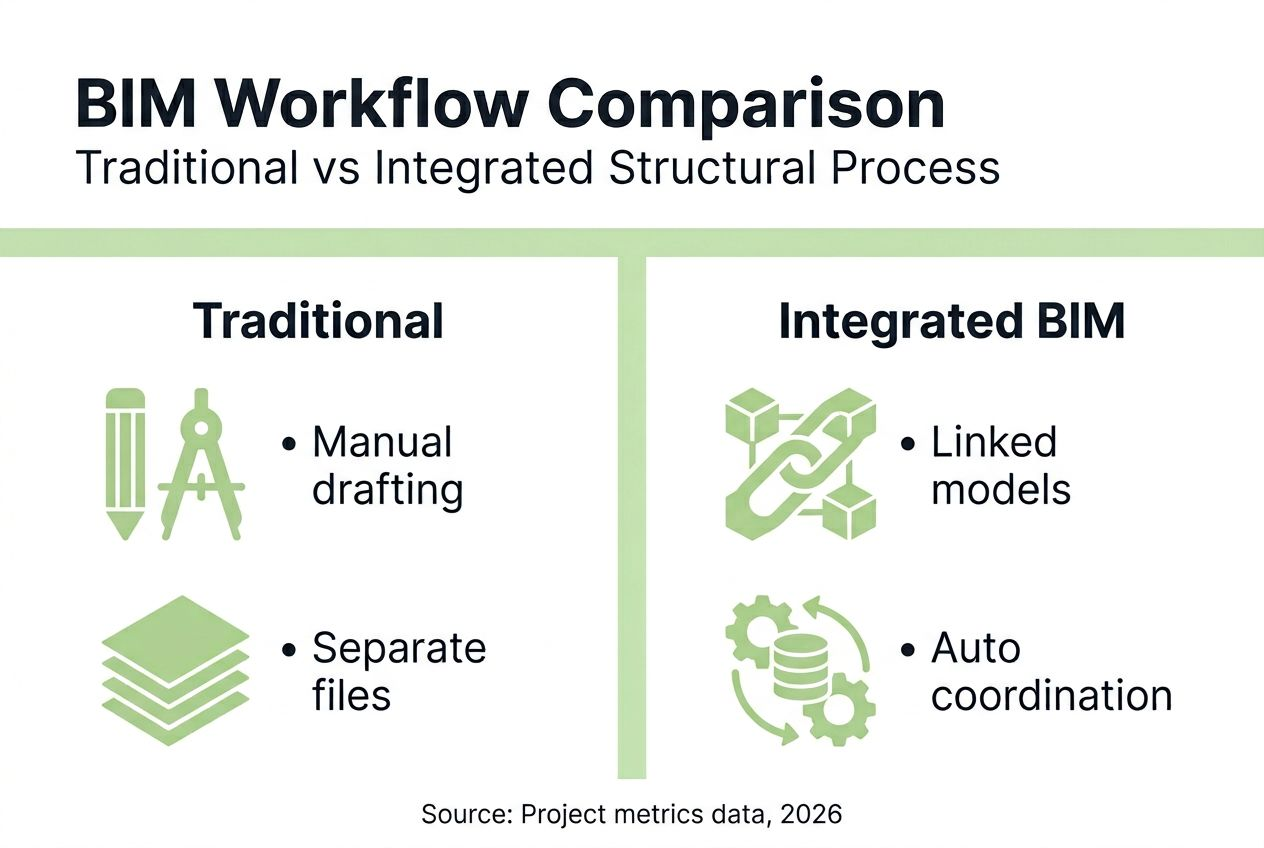
| Workflow aspect | Traditional CAD | Integrated BIM |
|---|---|---|
| Model coordination | Manual overlay comparison | Automated clash detection |
| Documentation updates | Manual redrafting | Automatic view updates |
| Multidisciplinary coordination | Printed markup cycles | Real-time cloud collaboration |
| Fabrication data | Manual takeoffs and lists | Direct model export |
| Error rate | 15-20% requiring rework | 5-8% requiring rework |
Following this workflow ensures your structural drawings maintain accuracy whilst reducing the time spent on repetitive tasks. The process naturally supports reviewing structural drawings to cut errors by 40% through built-in coordination checks. For comprehensive project support, structural BIM modelling from concept to completion services can supplement internal resources during peak workloads.
Common mistakes and troubleshooting
Even with the right workflow, common mistakes can derail your structural BIM projects. Recognising these pitfalls helps you avoid costly delays and rework.
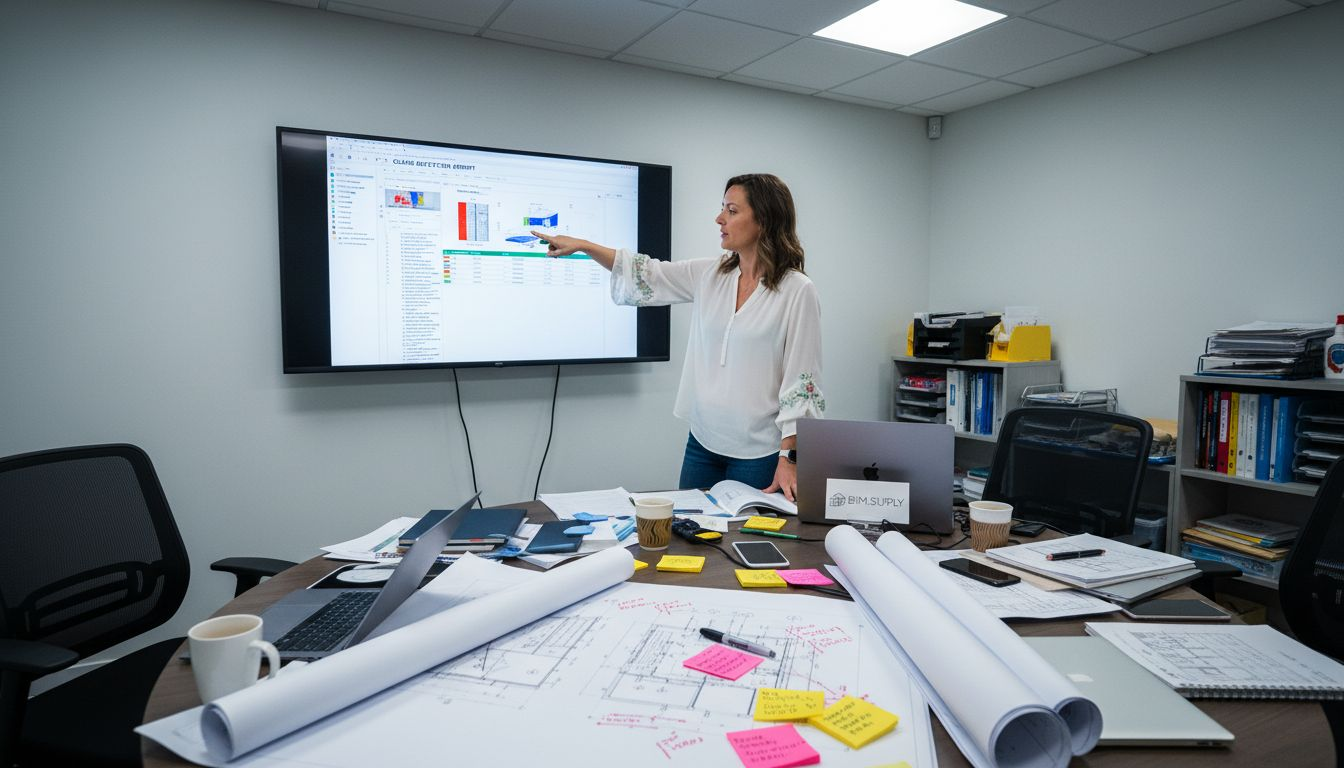
Incomplete model setup causes numerous downstream issues. Skipping project location, true north, or shared coordinates creates coordination problems that surface late in the project. Always verify these fundamentals before starting detailed modelling. Missing this step often requires extensive rework when models don’t align properly.
Poor coordination discipline leads to frequent revisions. Teams that skip regular clash detection meetings accumulate conflicts that become overwhelming. Model coordination errors account for up to 40% of project delays in BIM structural projects. Establish a weekly coordination rhythm and stick to it regardless of schedule pressure.
Common workflow mistakes include:
- Neglecting version control and model synchronisation protocols
- Ignoring clash detection warnings until construction documentation phase
- Failing to maintain links between analytical and physical models
- Using inconsistent naming conventions across project team members
- Skipping regular model audits and cleanup procedures
- Overriding system families instead of creating proper custom families
Pro tip: Implement a strict model versioning system with daily backups and clear file naming conventions. Use central model worksharing features to prevent team members from overwriting each other’s work.
Troubleshooting coordination issues requires systematic approach. When clashes appear in detection reports, categorise them by severity and discipline responsibility. Hard clashes between structural and MEP elements take priority over soft clashes like clearance violations. Assign each clash to a specific team member with a resolution deadline.
Model performance problems often stem from excessive detail in early design phases. Keep LOD (Level of Development) appropriate for each project stage. Detailed connection modelling belongs in construction documentation, not schematic design. This discipline keeps models responsive and reduces frustration.
When analytical models diverge from physical models, errors multiply quickly. Maintain bidirectional links and verify them after major design changes. Run regular checks comparing analytical member sizes to physical model elements. Catching discrepancies early prevents analysis errors from propagating through your documentation.
For projects requiring multidisciplinary coordination, multidisciplinary BIM reduces design changes by addressing these common mistakes systematically. Learning from these patterns helps you build more robust workflows over time.
Software and tools for efficient workflows
Choosing the right software ecosystem makes or breaks your structural BIM workflow. The tools you select determine how smoothly information flows from analysis through fabrication.
Autodesk Revit remains the dominant platform for structural BIM in 2026. Its integration with Robot Structural Analysis and Advance Steel creates a seamless workflow from design through detailing. The analytical model in Revit exports directly to Robot for analysis, then physical models generate fabrication data for Advance Steel. This integration eliminates data re-entry and maintains model consistency.
Tekla 2024 enhancements improve user experience and project coordination capabilities. Tekla excels at complex steel and concrete detailing, offering superior connection design tools. Its compatibility with Revit through IFC exchange enables mixed-software workflows when project requirements demand it.
Essential software components include:
- Core BIM platform (Revit, Tekla, or similar)
- Structural analysis software integrated with your BIM platform
- Clash detection tools (Navisworks, Solibri, or platform-native options)
- Cloud collaboration platform (BIM 360, Trimble Connect)
- Fabrication software compatible with your models
- Documentation tools for automated sheet generation
Clash detection tools identify conflicts early when they’re cheapest to fix. Navisworks Manage offers robust clash detection with detailed reporting and tracking capabilities. Solibri provides rule-based model checking beyond simple clash detection, validating against building codes and project standards. Choose tools that integrate with your core BIM platform for streamlined workflows.
BIM collaboration platforms transformed how distributed teams coordinate. BIM 360 and Trimble Connect enable real-time model access, issue tracking, and version control from any location. These platforms support the hybrid work arrangements common in 2026 whilst maintaining coordination quality.
Pro tip: Standardise on compatible tools across your organisation. Mixed software environments create data translation issues and coordination headaches. The initial investment in standardisation pays off through reduced training time and fewer compatibility problems.
For teams needing support implementing these tools, Revit drafting services provide expert assistance with platform-specific workflows. Choose user-friendly tools your team can master quickly, as software complexity often creates adoption barriers that undermine workflow efficiency.
Expected results and outcomes from a streamlined workflow
Implementing an efficient structural BIM workflow delivers measurable improvements across project metrics. These aren’t theoretical benefits but documented outcomes from projects following integrated workflows.
Project delivery times decrease by 15 to 25% compared to traditional methods. Automated documentation generation and real-time coordination eliminate waiting periods between design iterations. Your team spends less time on repetitive drafting and more time solving engineering challenges. This time compression often means the difference between meeting aggressive deadlines and costly project delays.
Structural drawing errors drop by over 30% when you follow integrated workflows. Model-based documentation stays synchronized automatically, preventing the dimension mismatches and outdated details that plague manual drafting. Clash detection catches coordination issues before they reach the field, where fixing them costs ten times more.
| Metric | Traditional workflow | Integrated BIM workflow | Improvement |
|---|---|---|---|
| Project delivery time | 100% baseline | 75-85% of baseline | 15-25% faster |
| Drawing errors | 15-20 per project | 5-8 per project | 30-40% reduction |
| Coordination meetings | 12-15 per project | 8-10 per project | 25-35% fewer |
| Rework hours | 120-150 hours | 40-60 hours | 60-65% reduction |
Cost savings accumulate through multiple channels. Less rework means lower labour costs and fewer schedule extensions. Improved coordination reduces change orders and field conflicts. Automated documentation cuts drafting hours significantly. These savings often exceed the initial investment in BIM software and training within the first few projects.
Collaboration quality improves dramatically with real-time model access. Design conflicts surface during coordination meetings, not during construction. Your team resolves issues collaboratively through model-based discussions rather than interpreting conflicting 2D drawings. This transparency reduces finger-pointing and builds stronger working relationships.
“Integrated BIM workflows don’t just save time and money. They fundamentally improve how engineering teams collaborate and solve complex structural challenges. The model becomes a shared source of truth that aligns everyone’s understanding.”
Consistent automated documentation ensures quality and accuracy across all deliverables. View templates standardise drawing layouts, annotation styles, and detail presentation. This consistency makes drawings easier to read and reduces the cognitive load on contractors and fabricators interpreting your designs.
Projects reducing structural drawing errors through systematic review processes see even greater improvements. Combined with multidisciplinary BIM coordination, these workflows transform project outcomes and client satisfaction.
Explore professional BIM modelling and drafting services
Implementing efficient workflows requires expertise, capacity, and focus. Professional BIM modelling services help you adopt these processes without overwhelming internal resources during the transition.
Whether you need comprehensive structural BIM modelling from concept to completion or targeted support for specific project phases, professional services scale with your workload. Detail-oriented architectural and structural detail drafting ensures construction documents meet the highest standards whilst your team focuses on design and coordination.
For projects demanding full-service support, all-inclusive BIM modelling packages cover everything from initial setup through final documentation. These comprehensive solutions let you deliver complex projects without expanding permanent headcount. Contact BIM.Supply to discuss how tailored structural BIM services can support your specific workflow requirements and project goals.
Frequently asked questions
How much faster are BIM workflows compared to traditional methods?
Integrated BIM workflows typically reduce project delivery time by 15 to 25% compared to traditional CAD methods. The time savings come from automated documentation updates, real-time coordination, and eliminating manual drafting rework. Complex projects with extensive multidisciplinary coordination see even greater improvements.
When should clash detection happen in the workflow?
Run clash detection continuously throughout design development, not just before construction documentation. Schedule weekly coordination sessions to review and resolve conflicts as they arise. Early detection prevents small issues from compounding into major problems that require extensive rework later.
What version control practices work best for structural BIM projects?
Implement daily central model synchronisation with clear worksharing boundaries between team members. Use descriptive file naming with dates and version numbers for all model iterations. Maintain a project log documenting major changes and coordination decisions. Cloud collaboration platforms automate much of this process whilst providing audit trails.
How does automation improve documentation updates?
Model-based documentation updates automatically when you modify structural elements. Dimensions, schedules, and tags reflect current design without manual redrafting. This automation eliminates the version control issues that plague traditional workflows where drawings and models diverge. The time saved on repetitive updates allows engineers to focus on design optimisation.
What’s the best way to transition from manual drafting to BIM workflows?
Start with pilot projects that aren’t schedule-critical whilst your team builds proficiency. Invest in comprehensive training and establish clear BIM standards before tackling complex projects. BIM adoption trends in 2026 show that structured implementation with adequate training delivers the best results. Consider partnering with experienced BIM consultants during the transition to accelerate learning and avoid common mistakes.
Recommended
- Review Structural Drawings: Cut Errors by 40% in 2026 – BIM.Supply
- BIM modelling trends 2026: 68% adoption boosts efficiency – BIM.Supply
- Structural BIM Modelling from Concept to Completion (Price Per Sqft) ( – BIM.Supply
- Multidisciplinary BIM Cuts Design Changes 50% in 2026 – BIM.Supply
- 7 Key Sustainable Building Practices 2026 for Managers